Case study
Calibration Software
Rebuilding a NATA-accredited calibration lab's core system: from a decade-old Access database, to Power Platform, to a custom web app.
- Role
- Sole designer and developer
- Timeline
- 2024–present
- Built with
- React, TypeScript, PostgreSQL
At a glance
- The path
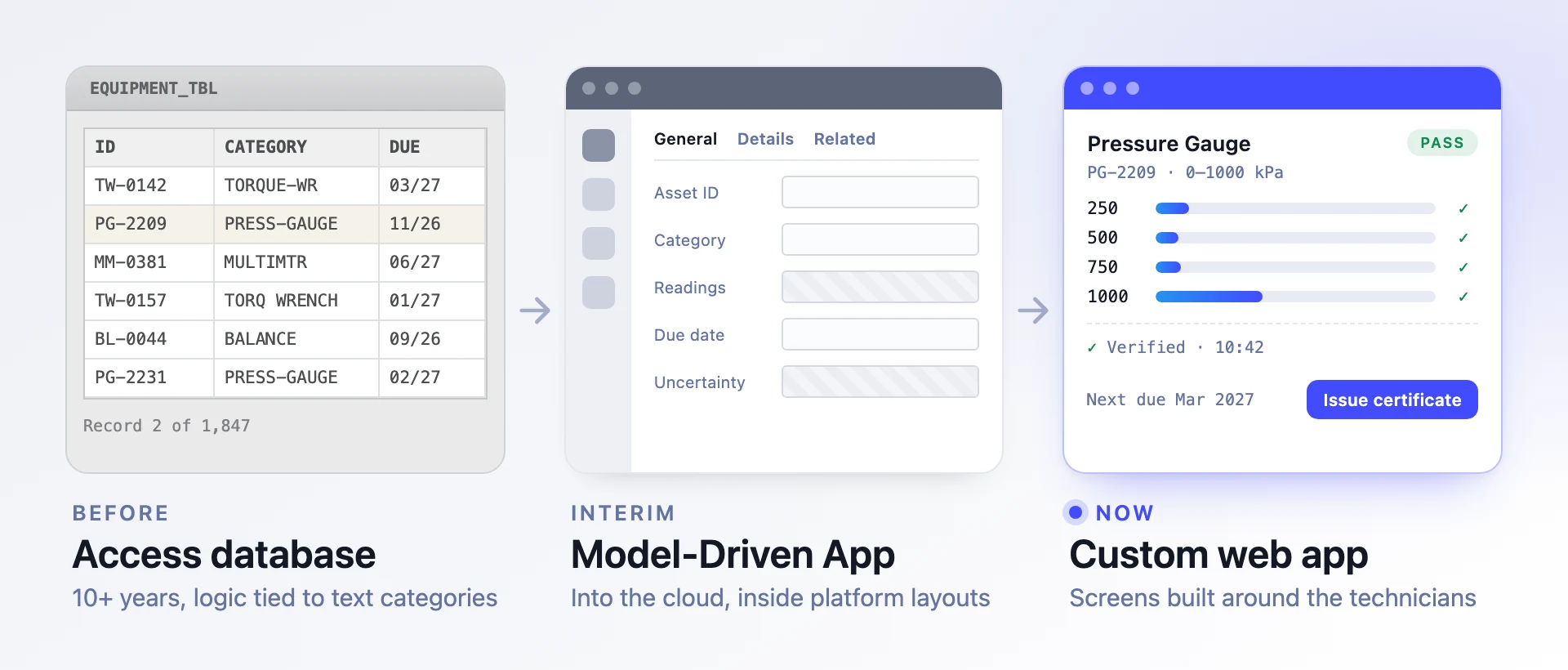
- Access database (10+ years) → Power Platform → custom web app
- Migrated
- 1,600+ customer accounts · 10,000+ equipment records · 394 past worksheets
- Built
- Instrument register, bench worksheets with automatic Pass/Fail, and certificates with a full audit trail
- Status
- Rolling out December 2026
The problem
For over ten years, the lab ran on a Microsoft Access database. Categories were hardcoded as text, certificates were typed up by office staff in Word and saved as PDFs, and tracing an instrument’s history meant searching across the database, documents and folders.
As calibration volumes grew and ISO/IEC 17025 requirements tightened, the old system couldn’t keep up.
Step one: Power Platform
Over about 18 months, I designed and built a replacement inside the company’s existing Microsoft 365 setup: a Model-Driven App with custom PCF controls (TypeScript/React), Dataverse, Power Automate and SharePoint. It covered customer records, instrument tracking and automated certificate generation.
Model-Driven Apps were great for rapid development, and PCF controls let me go beyond what the platform offered out of the box. But the more I used and customised the system, the more problems surfaced:
- Fragile certificates. Power Automate has few native PDF actions, so certificates first relied on brittle Word-template population and paid premium connectors. I moved them to HTML converted to PDF, but the converter’s dated CSS support meant no flexbox, so layouts had to be built with tables.
- Certificates stored separately from records. Generated certificates sat in SharePoint folders, separate from the instrument records in Dataverse.
- Costly to maintain and extend. Maintaining the PCF controls, including their JavaScript resources, took ongoing effort, and extending the system to new instrument types was slow and costly.
- Clunky deployments. Moving changes from test to production took a long time and often surfaced new issues.
- Licensing costs. Per-user licensing added up.
- Hard to diagnose. When a certificate failed to generate, there was often no useful error message to explain why.
Migrating was hard, but I’m glad we did it. The lab now has a system, ready to roll out, that fits how it works and isn’t locked into one vendor’s opinionated way of building software.
The rebuild
In 2026, the company commissioned a full rebuild as a standalone web app.
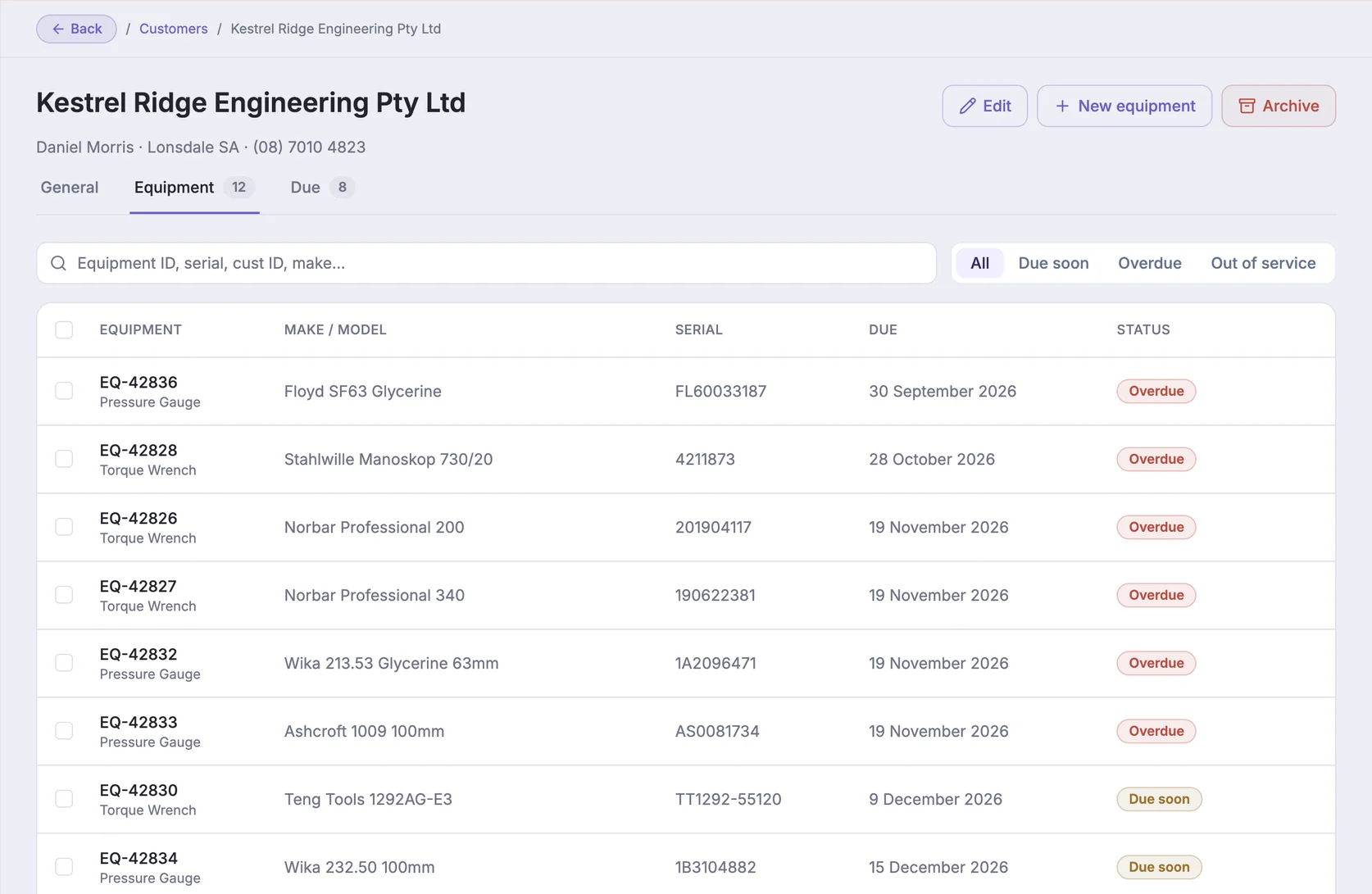
Customer and equipment register
All client accounts and instrument histories in one place, migrated from the previous system.
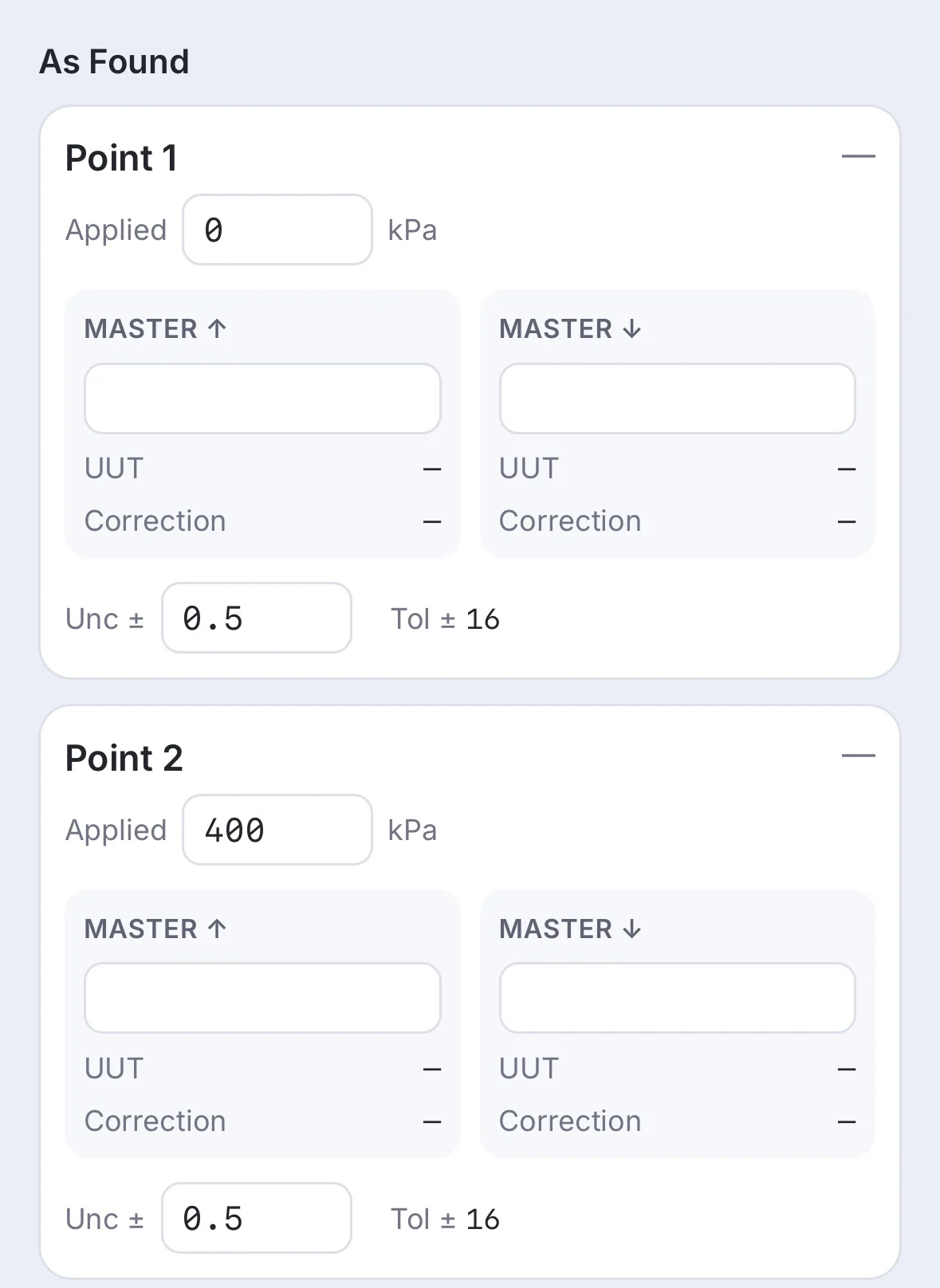
Worksheets built for the bench
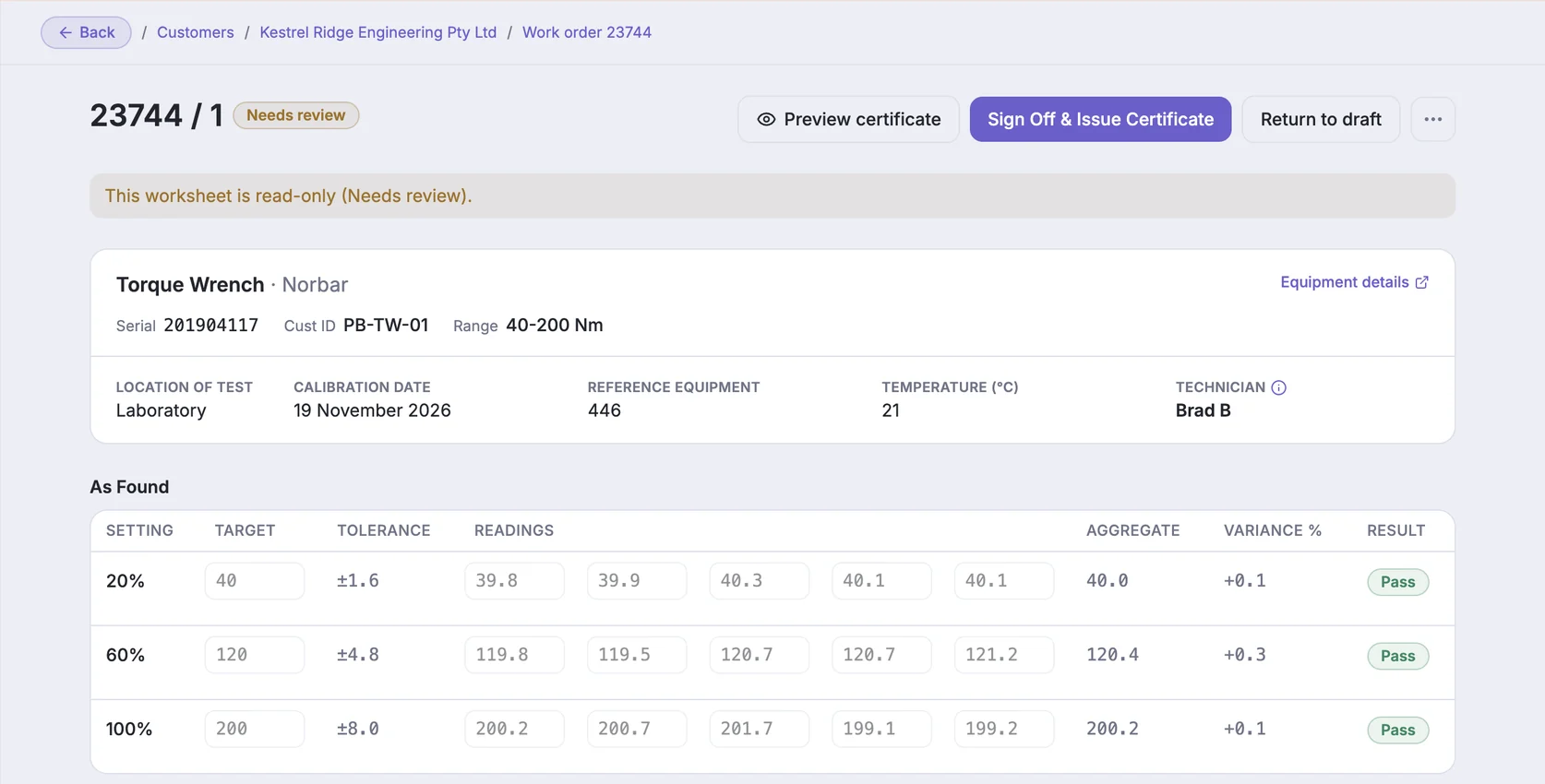
Designed for technicians working hands-on with a tablet:
- Large touch targets, with each test point on its own card on smaller screens, to reduce input errors.
- Live deviation and pass/fail feedback on every test point.
- Suggested reference equipment, based on which reference’s uncertainty covers the instrument’s range, applied with one tap.
- As-found readings first, with after-adjustment readings recorded separately when an instrument is adjusted.
Certificates, stored where they belong
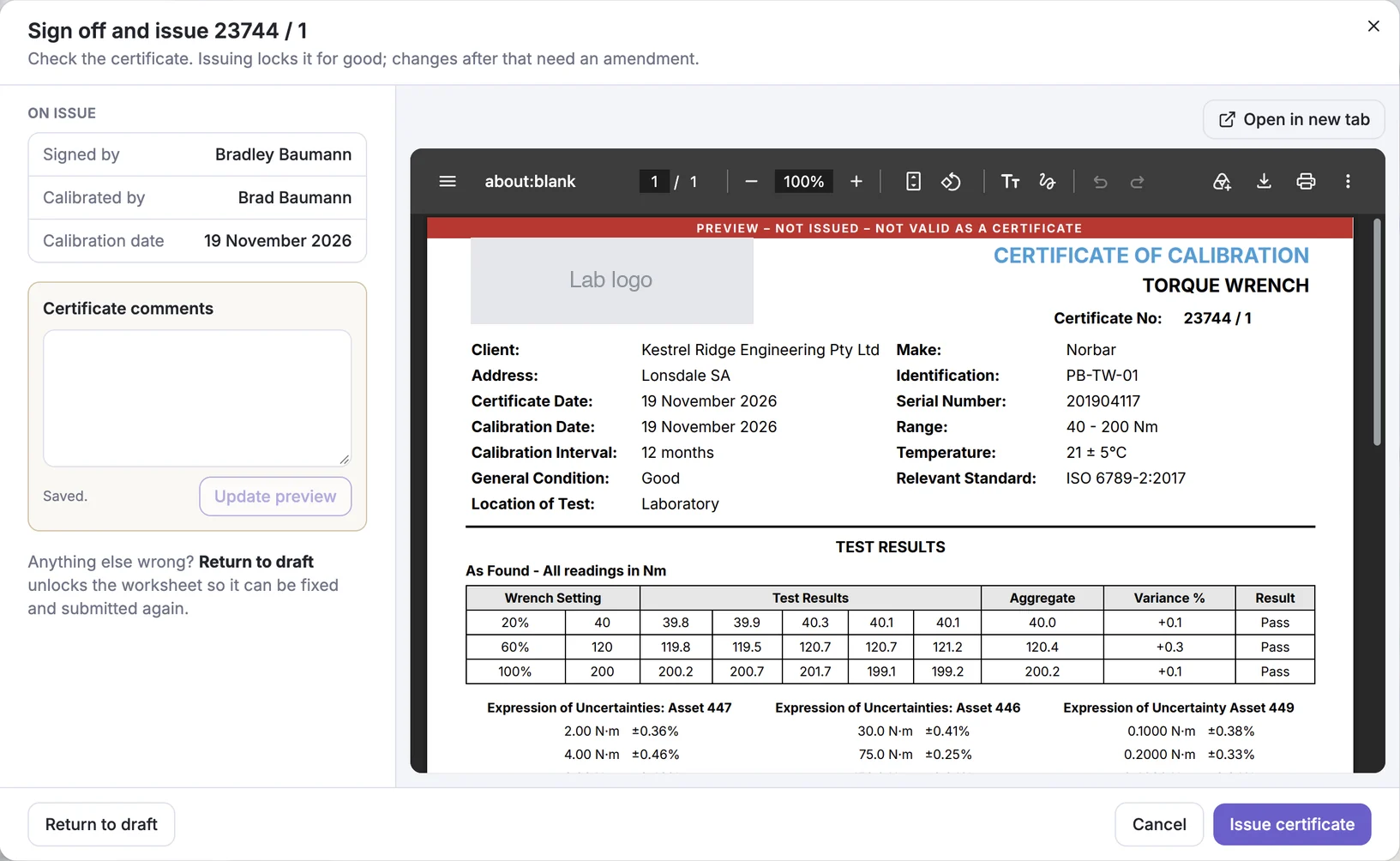
The client-facing certificate includes as-found and after-adjustment readings, reference equipment traceability, the authorised signatory and a sequential certificate number.
- Certificates are stored directly against the instrument record, replacing SharePoint.
- Reissued certificates link to the version they replace, so the full history is kept.
- Worksheets move through a set workflow (not started → in progress → needs review → completed). Issuing a certificate locks it; any later change needs an amendment.
Key decisions
In an accredited lab, data integrity and precise maths have to shape the system from day one.
- Three statuses, not one. Workflow status, the Pass/Fail result and the due status are kept separate, so they can’t contradict each other.
- Tolerance rules per instrument type. Pressure gauges are judged against a percentage of full scale by face size (AS 1349). Torque wrenches are judged against a percentage of each target.
- Exact numbers, not approximations. Readings sit in numeric database columns, one row per test point, and every calculation uses exact decimal maths, never floating point.
- Proper categories. Hardcoded text categories were replaced with fixed instrument types (torque, pressure or temperature), so renaming a category never breaks a worksheet.
- A full audit trail. Every change is logged. Worksheets lock at review. Issued certificates can’t be changed and are stored with a fingerprint of the PDF. Corrections are issued as lettered amendments that replace the old certificate, which stays on record.
- Tested maths. Tolerance and Pass/Fail calculations are in small, separately tested modules.
Outcome
- Ready for go-live. The system rolls out in December, the lab’s quiet month.
- Legacy data migrated. Over 1,600 customer accounts, more than 10,000 equipment records (including 2,108 pressure and 806 torque instruments, with archived equipment) and 394 past worksheets moved out of text-based categories into a structured database. Read how the migration was planned →
- No more hand calculations. Results are calculated automatically, which removes manual calculation errors and saves technicians time.
- Certificates you can trust to finish. On Power Platform, there was no sign of when a certificate was done, and each took 30 seconds to a minute. Now a visual cue confirms when it’s ready, and an error code explains any failure. After a short warm-up on the first one, the rest generate quickly.
- No templates to choose. Office staff used to pick the right certificate template by hand, and wrong picks were a constant source of errors. Certificates are now produced straight from the worksheet.
- Positive usability testing. Office staff say it’s quicker and cleaner to use, and saves them time because records, worksheets and certificates are no longer spread across folders and applications. In a usability test, admin staff said bulk worksheet creation, instead of creating worksheets one by one, will save them a lot of time.
What’s next
- QR lookup at the bench. Designed, and waiting on usability testing before it’s built.
- Temperature calibration. Partly built, and waiting on usability testing before work continues.
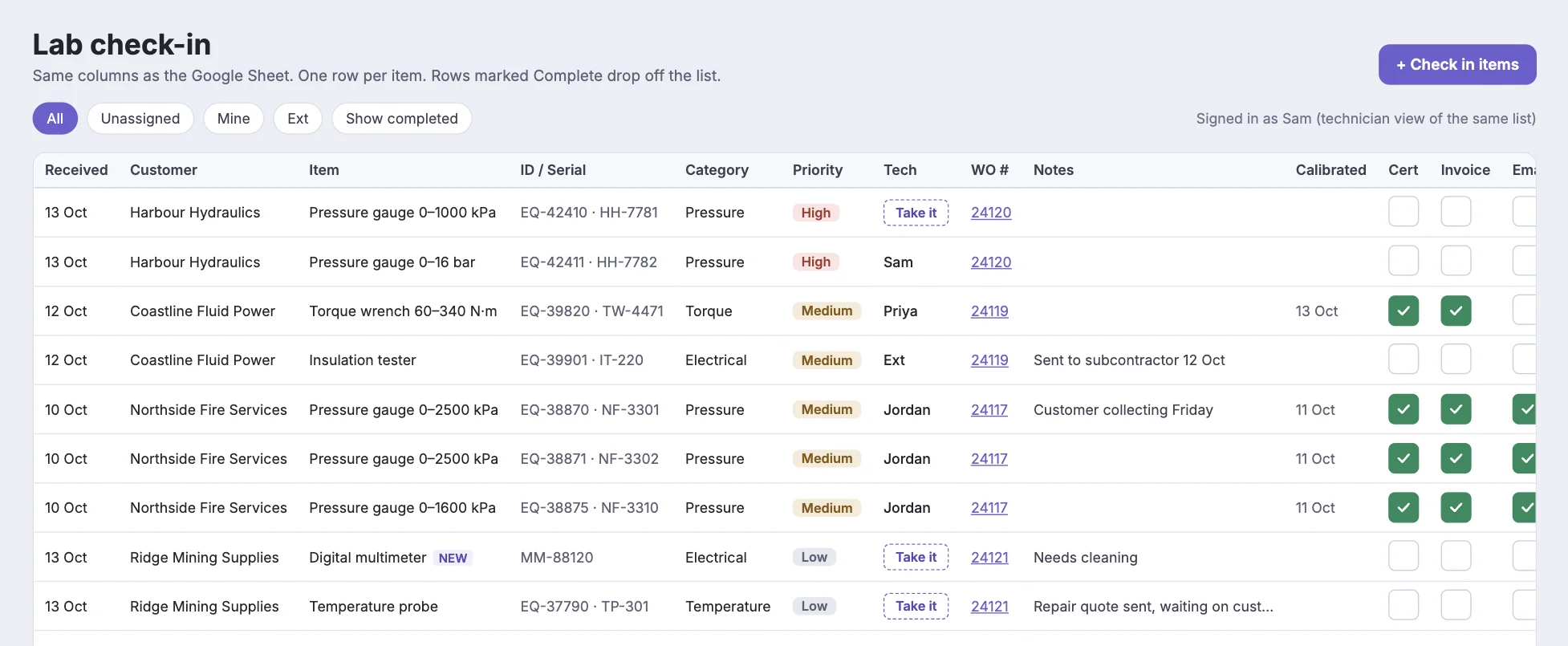
- Equipment check-in. A lab check-in screen to replace the shared Google Sheet that tracks incoming equipment. It’s designed and up for discussion before building starts.